
Nexo Lobby
A downloadable Launcher for Windows
English
🆓 Free 7-day trial. For permanent use, request a key by e-mail: somoth.contato@gmail.com
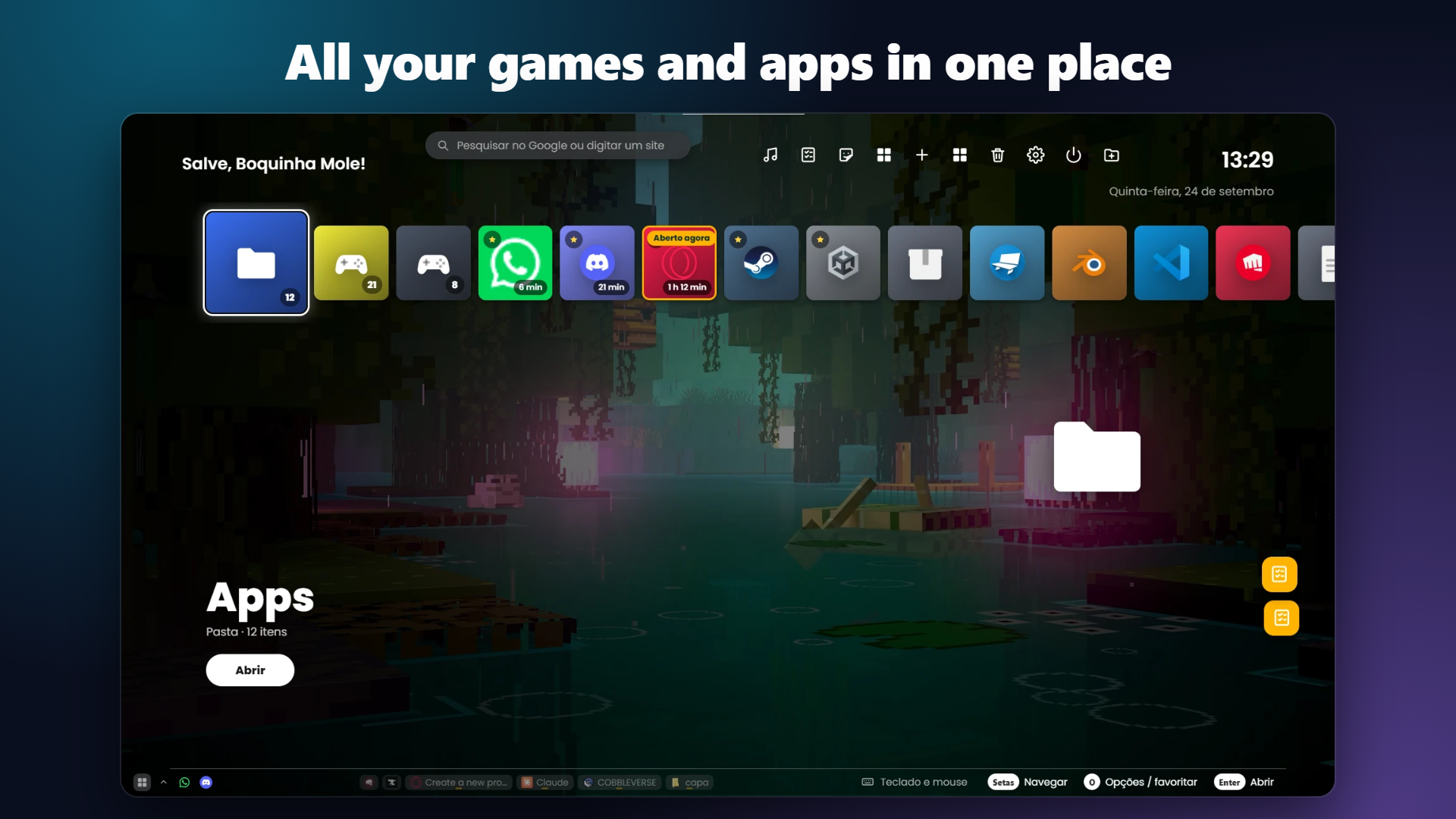
Nexo Lobby is a home screen for your PC, made for the couch: it opens your games and programs with a controller, keyboard or mouse, in a console-style menu that you make your own.
PC plugged into the TV? Pick up the controller and choose what to play, without getting up to grab the mouse.
What it does
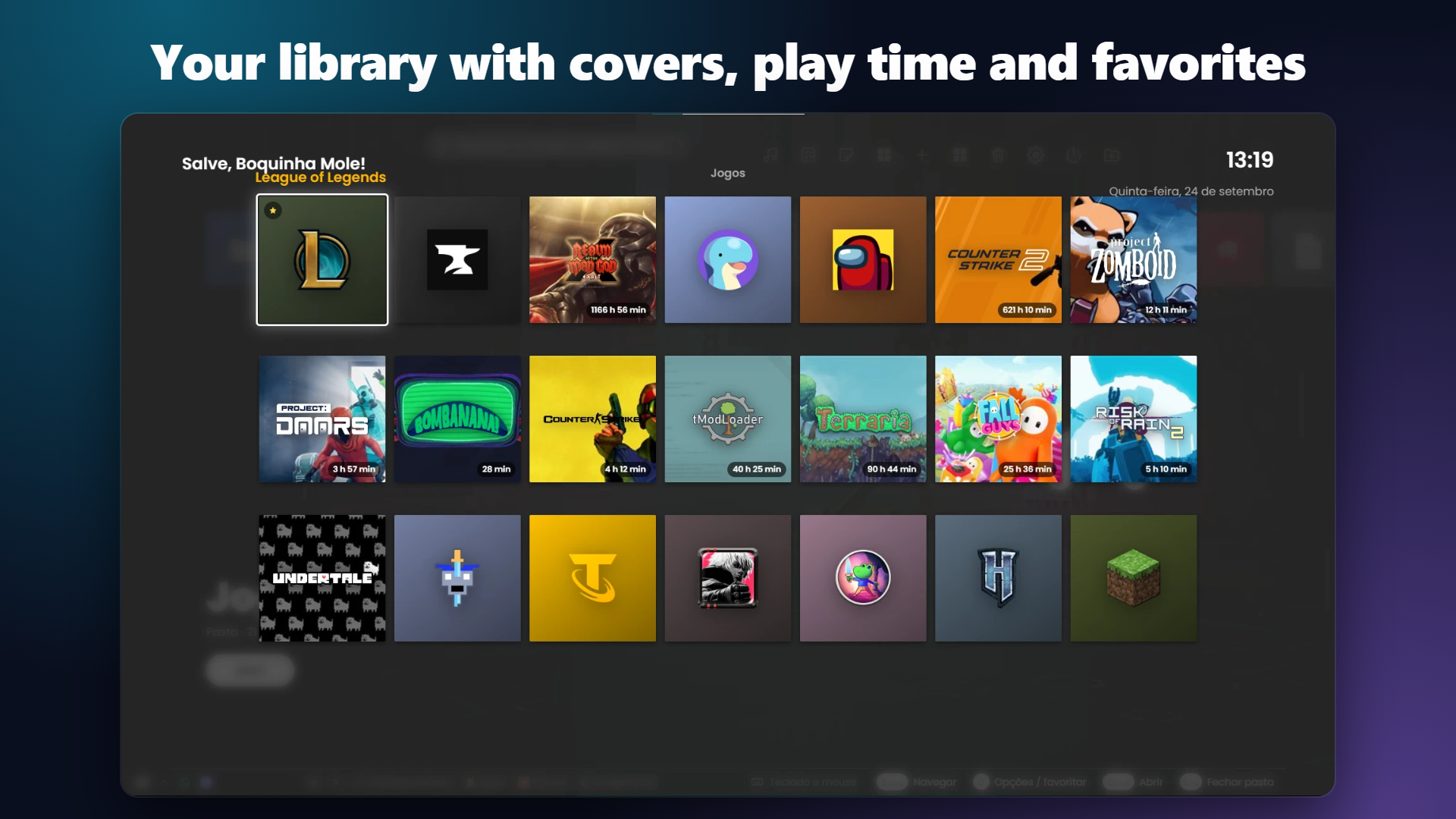
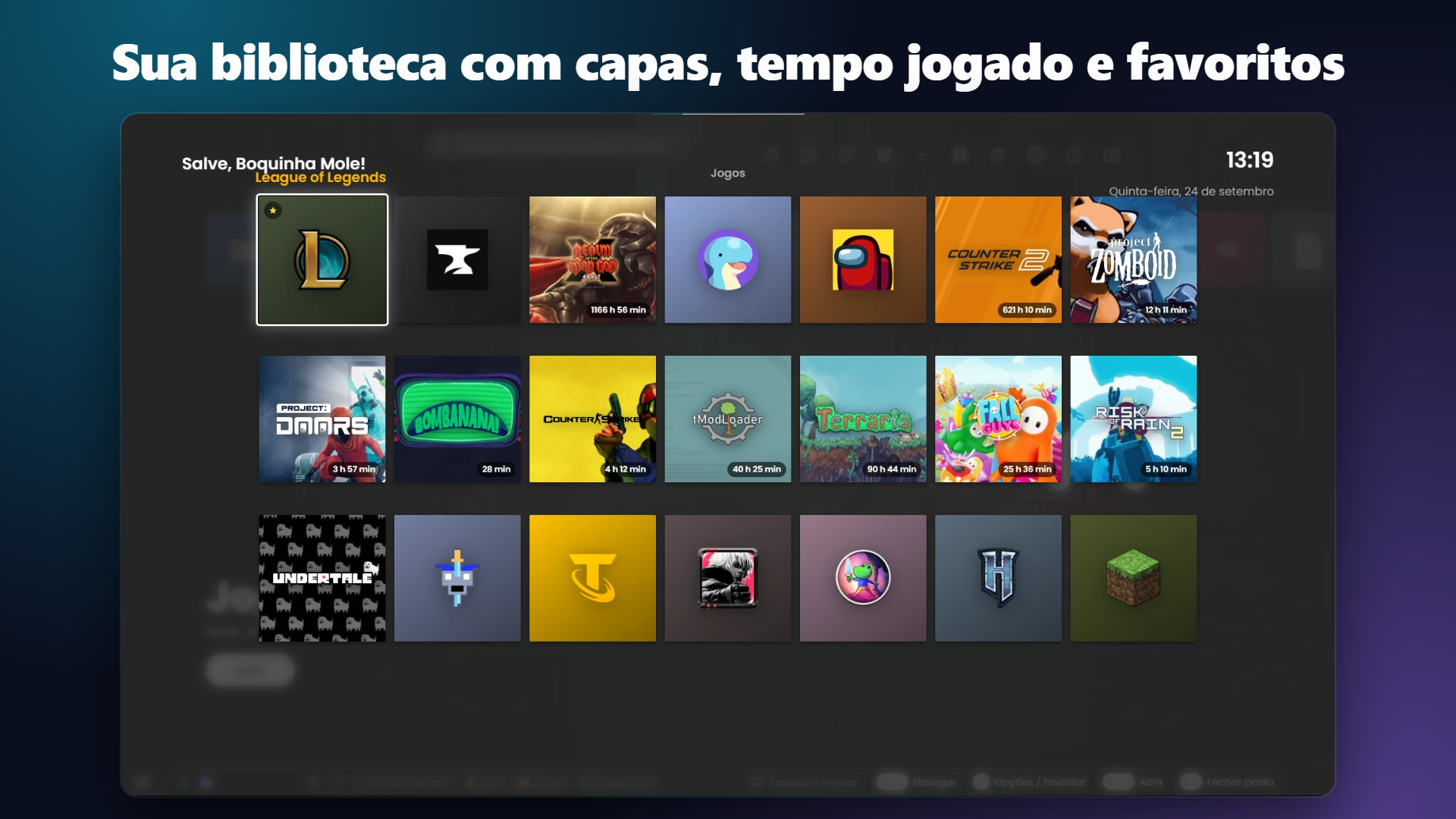
- 🎮 A menu for your games and programs — organize them in folders, favorites and rows. It finds the games and apps installed on your PC, including Microsoft Store apps and Steam games.
- 🖱️ Your controller becomes a mouse — hold Start for a second and a half and the controller moves the cursor, clicks, scrolls the page and opens an on-screen keyboard. It works in any program, not only inside Nexo. Hold Back to jump back to Nexo from anywhere.
- ⌨️ On-screen keyboard — click a text field (chat, search) and the keyboard shows up by itself, so you can type with the controller.
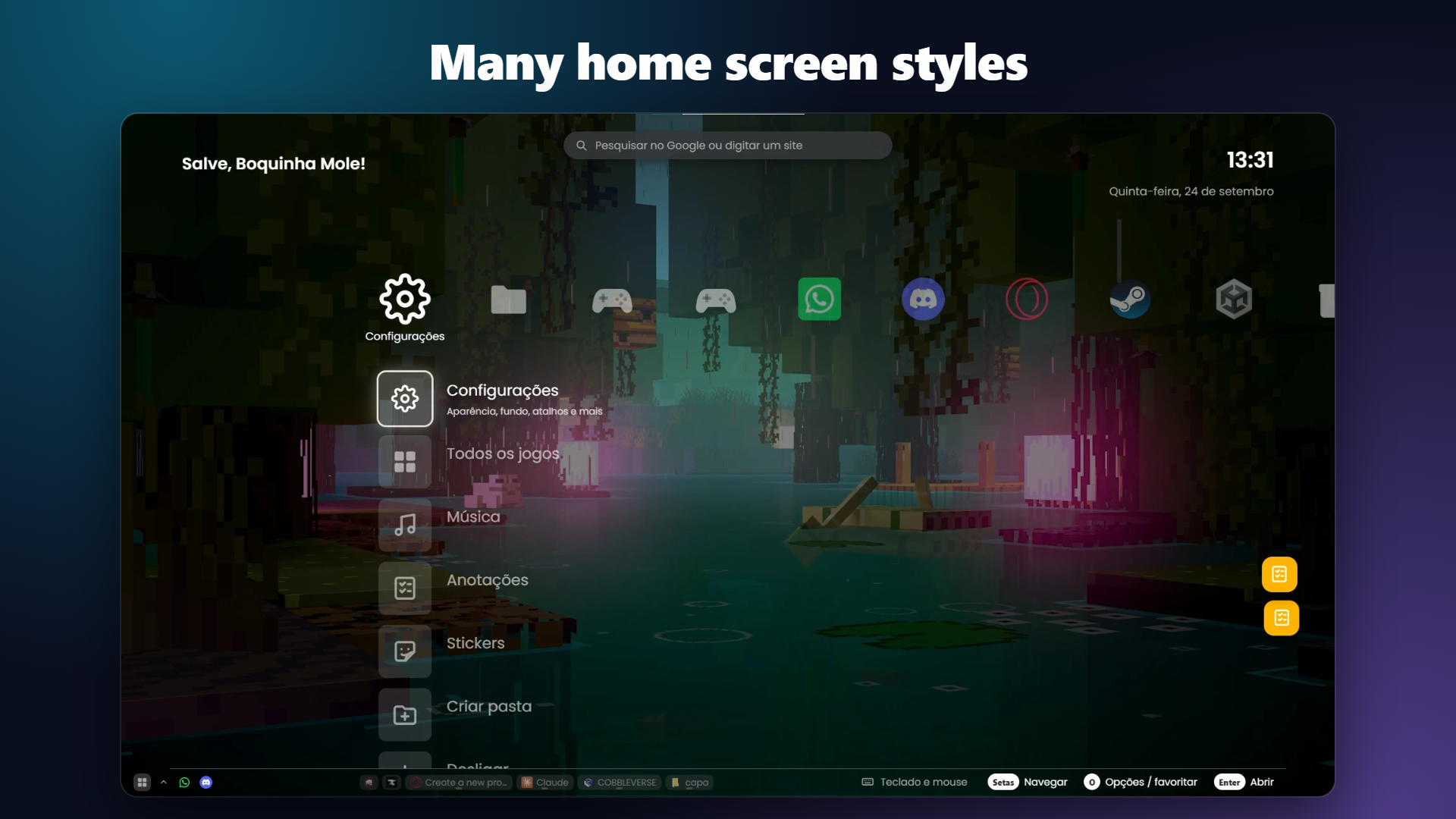
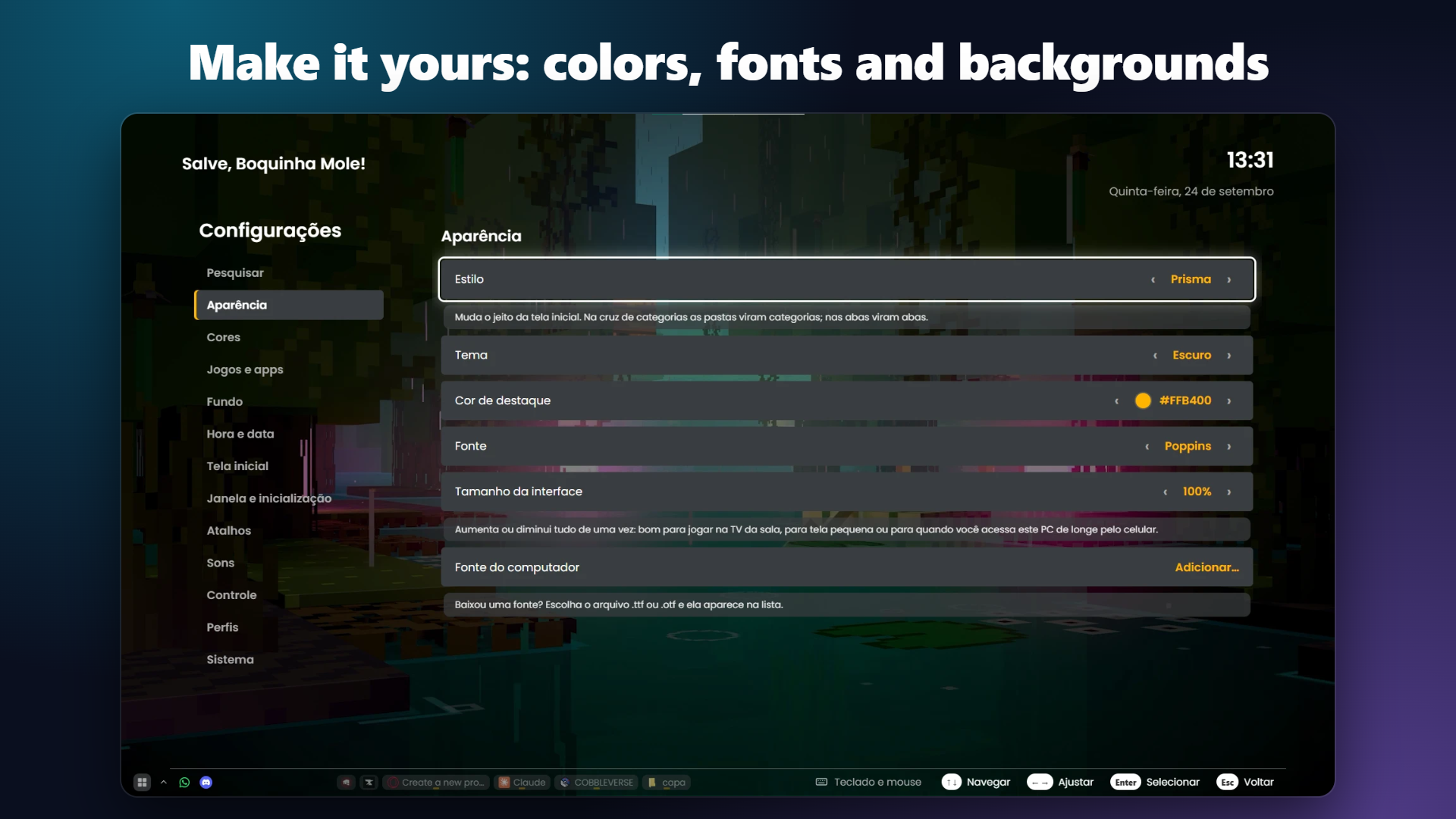
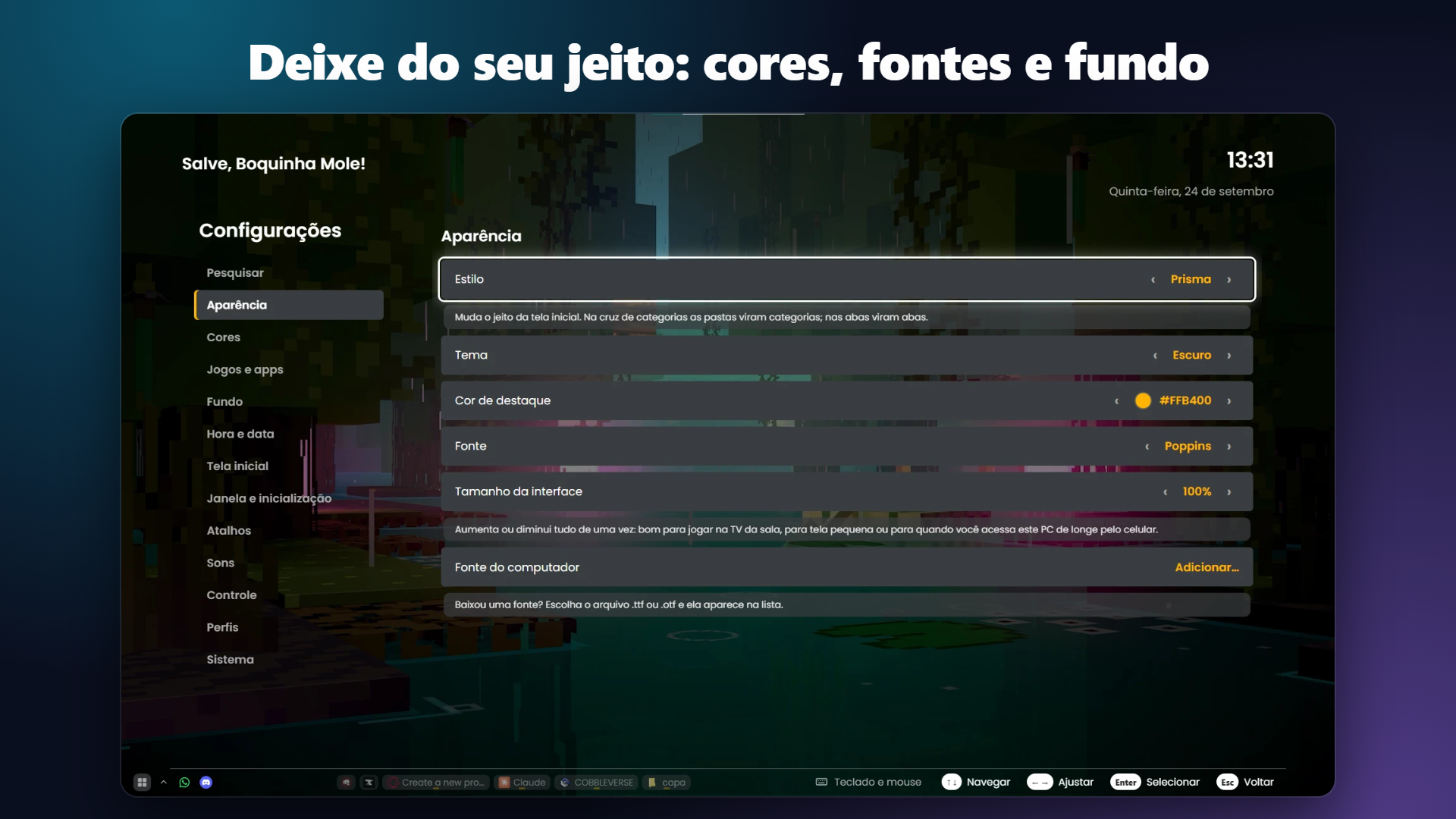
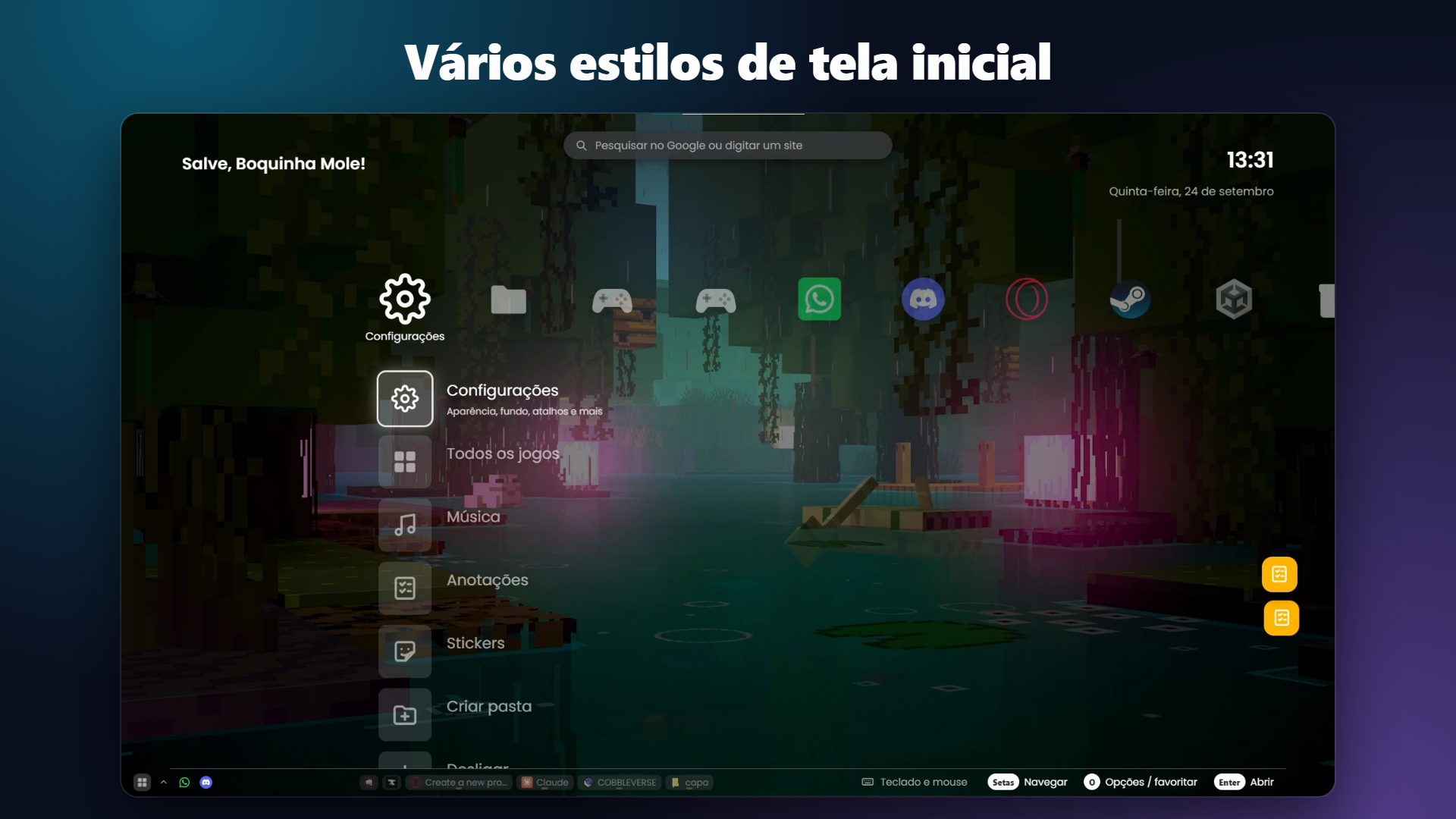
- 🎨 Several home screen styles — row, grid, tabs, pages, category cross... each one with its own name and look, plus colors, fonts, backgrounds (image, video, solid color or your own desktop wallpaper) and stickers.
- 🎵 Background music — pick a song of yours to play inside Nexo; it stops by itself when a game opens.
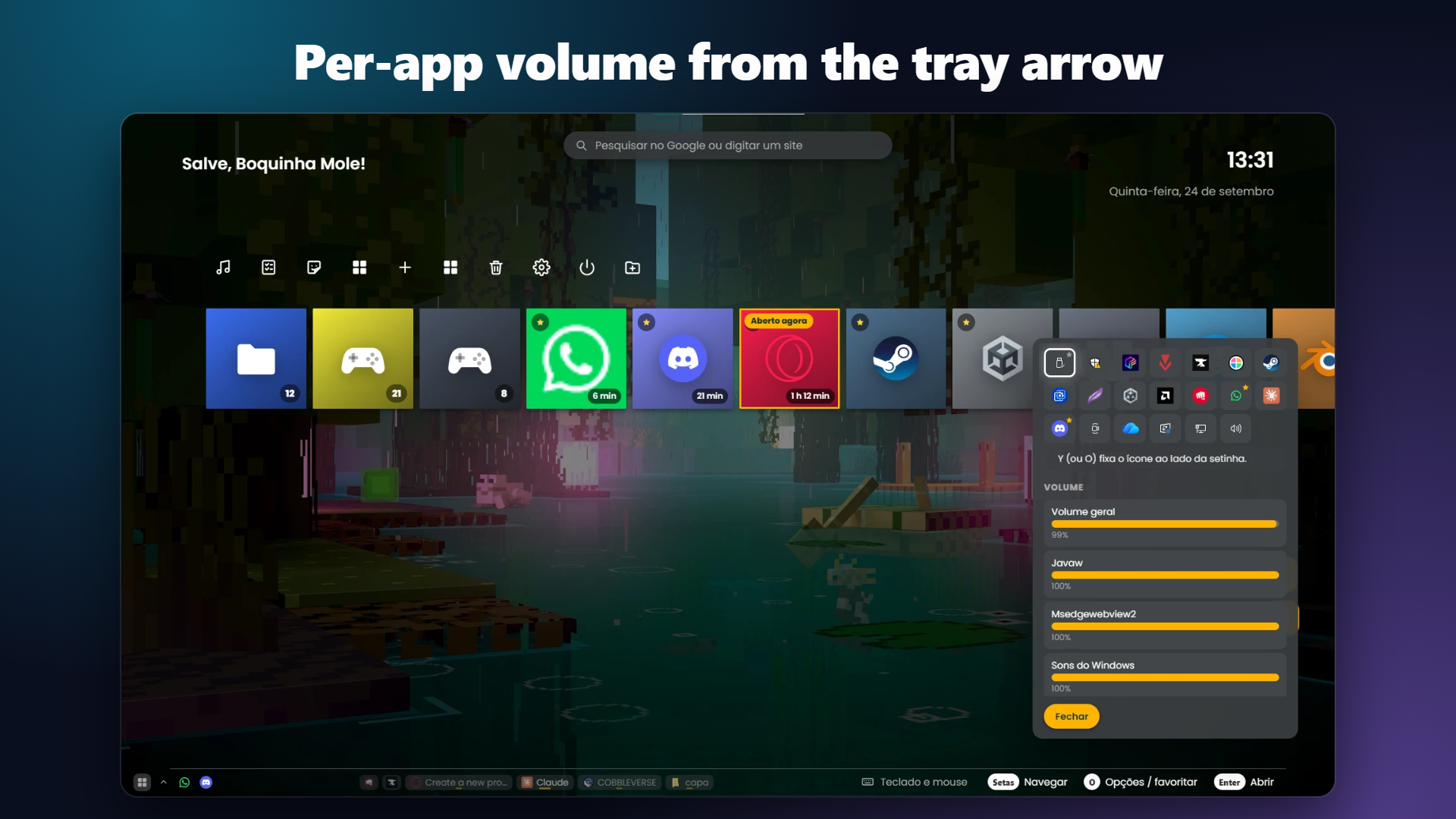
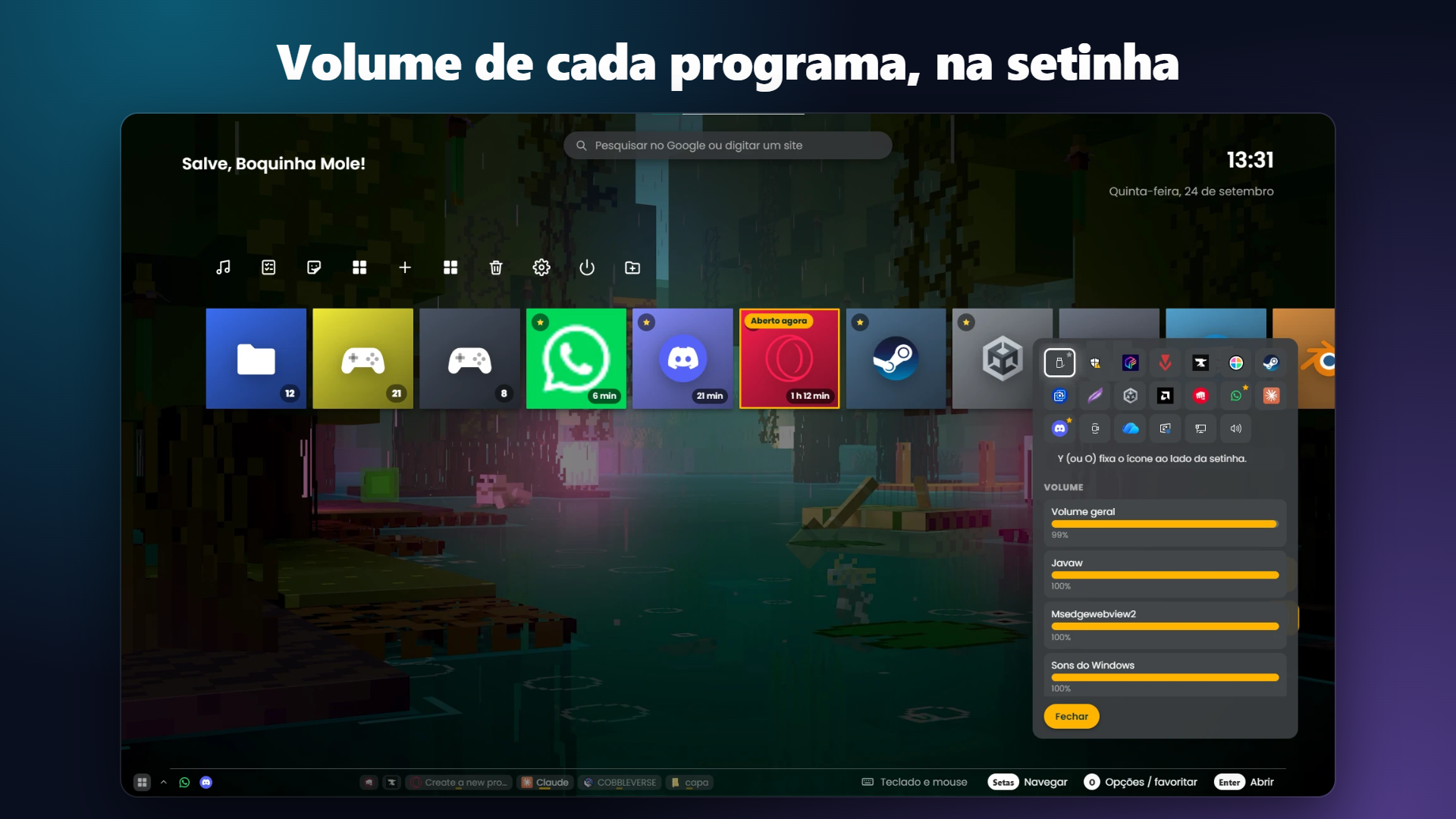
- 🗂️ Its own taskbar — shows your open programs, appears on top of other programs, and has a tray arrow with a volume slider for each program. You can even drag a file onto a program in the taskbar to open it.
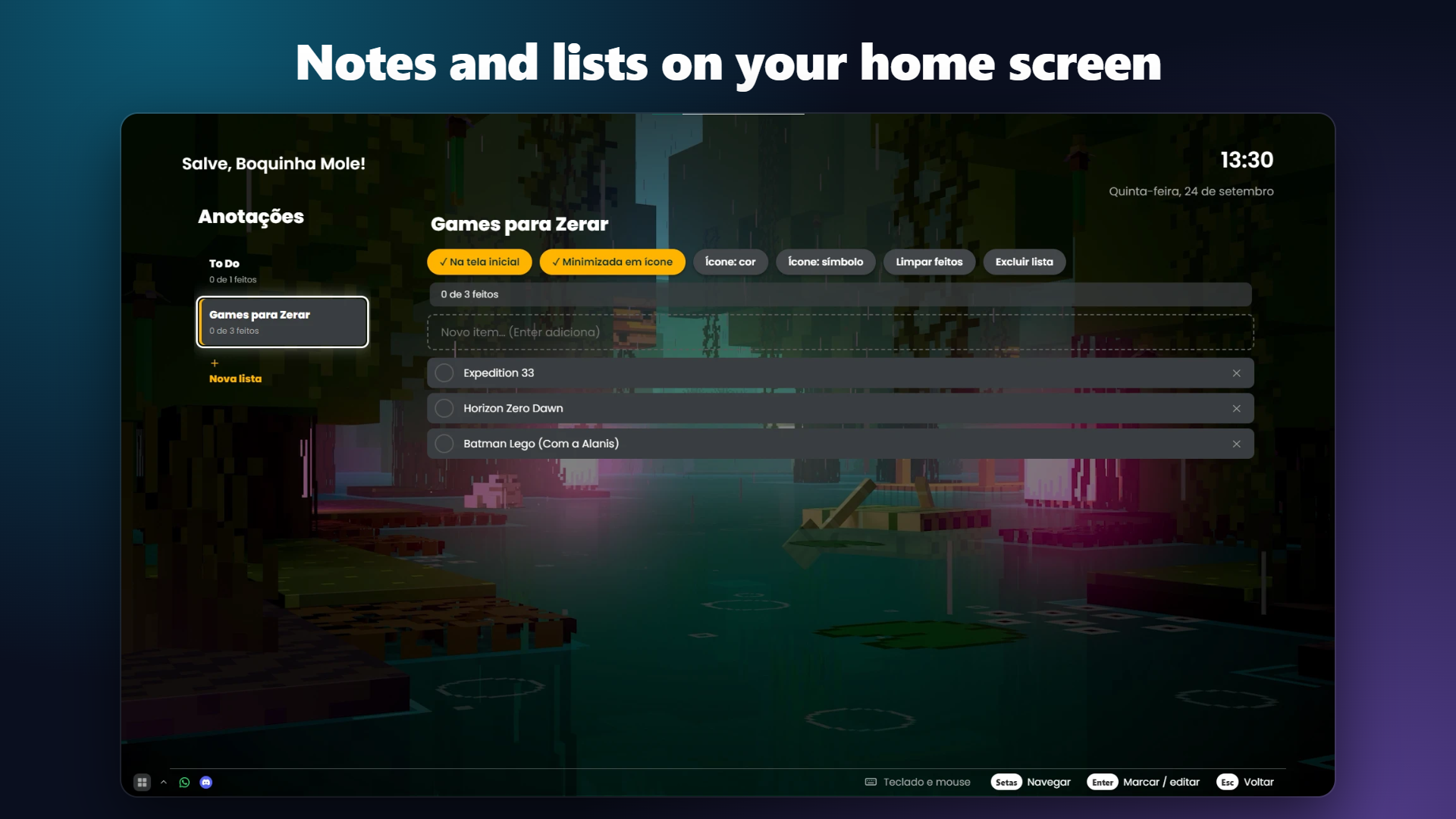
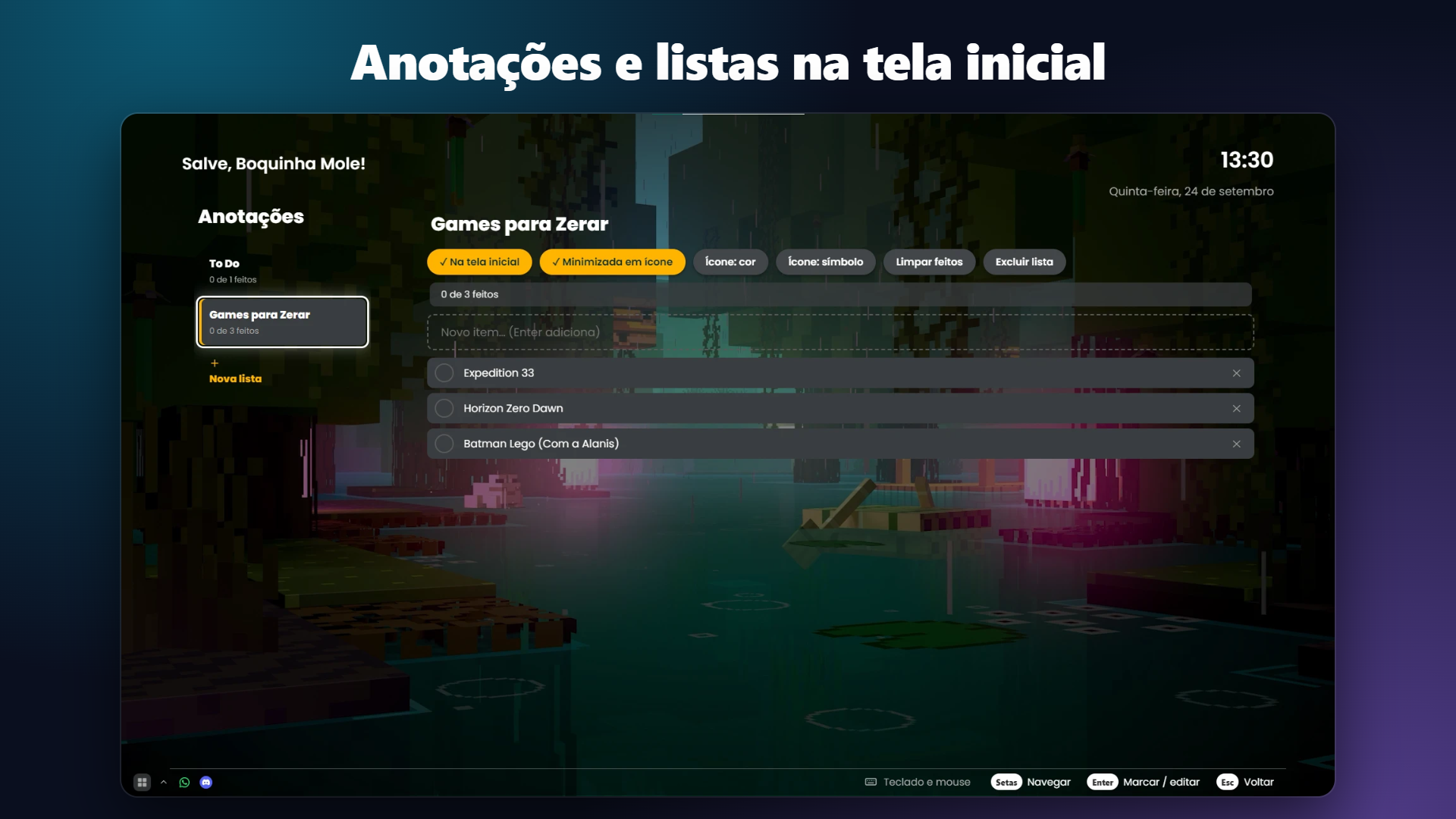
- 📝 Notes, clock, widgets and a monthly summary of what you played and listened to the most.
- 🛡️ Kiosk mode — locks settings and creating/deleting things behind a PIN (good for a living-room PC or for kids).
- 🌐 Portuguese, English, Spanish and Japanese.
No ads, no tracking
Nexo runs on your computer. Your settings, library and notes stay on your PC. Only two things go over the internet: checking your license key and looking for updates. See the Privacy Policy (inside the installer and the app) for details.
How the license works
The version on this page is FREE TO TEST for 7 days. To keep using Nexo after that, you need a permanent key, which you get by contacting us by e-mail. Each copy uses an activation key, typed once the first time you open it.
- Trial key — FREE, 7 days, for testing: ask by e-mail at somoth.contato@gmail.com or with the "Copy key request" button inside Nexo. Tell us which e-mail address you will use to activate it. The key arrives within 24 business hours. It needs to check in over the internet every day, and after the 7 days Nexo stops working until you enter a permanent key.
- Permanent key — contact us by e-mail to buy it: write to somoth.contato@gmail.com telling us which e-mail address you will use to activate the key. Price: R$ 14.99 in Brazil or US$ 4.99 for other countries. 🎉 Launch offer, 30% off until October 31: R$ 10.49 or US$ 3.49. We reply with how to pay (Pix in Brazil; for other countries we work out the payment method by e-mail). After we confirm your payment, the key arrives within 24 business hours. It is valid forever on one computer and works offline once activated. Changed PC? Contact support and we will release the key.
Nexo never deletes your files, games or settings. If the license runs out, it simply puts Windows back to normal (taskbar and desktop icons) and asks for a new key.
Requirements
- Windows 10 or 11 (64-bit)
- A few MB of disk space. Memory: about 80 MB while Nexo is in the background, up to around 250 MB when it is in front with lots of cover art and a heavy background
- A controller is optional. It works with Windows (XInput) controllers and with many generic and Bluetooth controllers; if the buttons come out swapped, there is a "Learn the buttons" option in the settings.
Important note about the installer (Windows SmartScreen)
Because this is a new program from an independent developer, Windows may show "Windows protected your PC" the first time. This happens with any program that does not carry a paid company signature. To install:
- Click More info.
- Click Run anyway.
If your antivirus complains, it is probably a false alarm: you can check the file on virustotal.com and get in touch. Nexo reads your controller and simulates mouse and keyboard only when you turn that feature on, which is why some antivirus programs get suspicious.
Support
Questions, problems, refunds or a new key: somoth.contato@gmail.com
If Nexo freezes, it saves a report (erro-nexo-....txt) in %APPDATA%\com.nexolobby.app; attaching that file to your e-mail helps a lot.
Refunds
Permanent key: full refund within 7 days, no questions asked. See the Refund Policy.
Updates
Nexo tells you when a new version is available and only installs it if you accept.
Frequently asked questions (FAQ)
How much is the permanent key? R$ 14.99 in Brazil or US$ 4.99 for other countries. Launch offer: 30% off until October 31 (R$ 10.49 or US$ 3.49).
Is Nexo Lobby free? You can test it free for 7 days. To keep using it, you need a permanent key, which you request by e-mail (somoth.contato@gmail.com).
Do I need a controller? No. Everything works with keyboard and mouse; the controller is a bonus.
Does it work with Wallpaper Engine? Yes. You can use your animated wallpaper as the Nexo background and adjust only its volume in the settings.
Does Nexo hide my taskbar? Only if you let it. It is an option in the settings, and when you close Nexo everything goes back to normal.
Can I use it on more than one PC? Each key is for one computer. Changed PC? Support will release the key.
Are you affiliated with any console maker? No. Nexo Lobby is independent and has no relation to any console, game or system brand.
Português
🆓 Teste grátis por 7 dias. Para uso permanente, peça uma chave por e-mail: somoth.contato@gmail.com
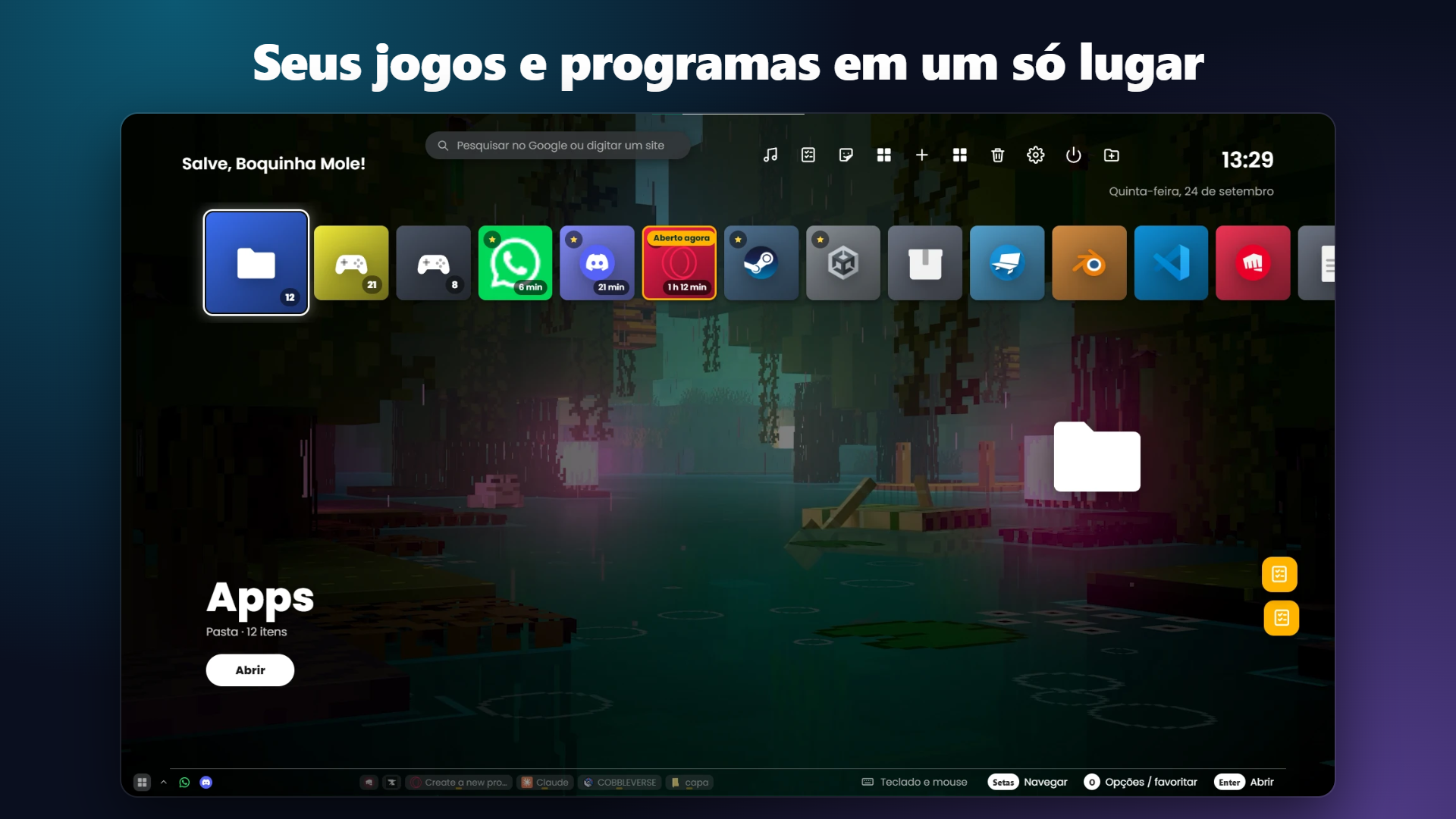
Nexo Lobby é uma tela inicial para o seu PC feita para o sofá: abre seus jogos e programas com controle, teclado ou mouse, com um visual de menu de console que você deixa do seu jeito.
Ligou o PC na TV? Aperte um botão do controle e escolha o que jogar, sem levantar para pegar o mouse.
O que ele faz
- 🎮 Menu para jogos e programas — organize em pastas, favoritos e fileiras. Ele encontra os jogos e apps instalados, inclusive programas da Loja do Windows e da Steam.
- 🖱️ O controle vira mouse — segure Start por um segundo e meio e o controle move o cursor, clica, rola a página e abre um teclado na tela. Funciona em qualquer programa, não só dentro do Nexo. Segure Back para voltar ao Nexo de qualquer lugar.
- ⌨️ Teclado na tela — clicou num campo de texto (chat, busca), o teclado aparece sozinho. Você digita com o controle.
- 🎨 Vários estilos de tela inicial — fileira, grade, abas, páginas, cruz de categorias... cada um com nome e visual próprios, mais cores, fontes, fundos (imagem, vídeo, cor ou o seu wallpaper do PC) e adesivos.
- 🎵 Música de fundo — escolha uma música sua para tocar no Nexo; ela para sozinha quando um jogo abre.
- 🗂️ Barra de tarefas própria — mostra os programas abertos, aparece por cima dos outros programas e tem a setinha da bandeja com volume de cada programa. Dá até para arrastar um arquivo até um programa da barra para ele abrir.
- 📝 Anotações, relógio, widgets e um resumo do mês do que você mais jogou e ouviu.
- 🛡️ Modo quiosque — trava configurações e criar/apagar coisas com um PIN (bom para PC de sala e para crianças).
- 🌐 Português, inglês, espanhol e japonês.
Sem propaganda, sem rastreamento
O Nexo funciona no seu computador. Suas configurações, biblioteca e anotações ficam só no seu PC. Só duas coisas vão para a internet: a verificação da sua chave e a busca por atualizações. Detalhes na Política de Privacidade (dentro do instalador e do programa).
Como funciona a licença
A versão desta página é GRATUITA PARA TESTE por 7 dias. Para continuar usando o Nexo depois disso, você precisa de uma chave permanente, que se consegue entrando em contato por e-mail. Cada cópia usa uma chave de ativação, digitada uma vez na primeira abertura.
- Chave de teste — GRÁTIS, 7 dias, para testar: peça pelo e-mail somoth.contato@gmail.com ou pelo botão "Copiar pedido de chave" dentro do Nexo. Diga qual e-mail você vai usar para ativar. A chave chega em até 24 horas úteis. Ela precisa conferir a internet a cada dia, e depois dos 7 dias o Nexo para de funcionar até você digitar uma chave permanente.
- Chave permanente — fale com a gente por e-mail para comprar: escreva para somoth.contato@gmail.com dizendo qual e-mail você vai usar para ativar a chave. Valor: R$ 14,99 no Brasil ou US$ 4,99 para outros países. 🎉 Oferta de lançamento, 30% de desconto até 31 de outubro: R$ 10,49 ou US$ 3,49. Respondemos com a forma de pagamento (Pix no Brasil; para outros países, combinamos por e-mail). Depois de confirmarmos o pagamento, a chave chega em até 24 horas úteis. Vale para sempre em um computador e funciona sem internet depois de ativada. Trocou de PC? Fale com o suporte que liberamos.
O Nexo nunca apaga seus arquivos, jogos ou configurações. Se a licença acabar, ele apenas devolve o Windows ao normal (barra de tarefas e ícones) e pede uma nova chave.
Requisitos
- Windows 10 ou 11 (64 bits)
- Poucos MB de espaço em disco. Memória: cerca de 80 MB com o Nexo em segundo plano e até uns 250 MB com ele na frente e muitas capas e um fundo pesado
- Um controle é opcional. Funciona com controles do Windows (XInput) e com muitos controles genéricos e Bluetooth; se os botões vierem trocados, há um "Aprender os botões" nas configurações.
Aviso importante sobre o instalador (Windows SmartScreen)
Por ser um programa novo e de um desenvolvedor independente, o Windows pode mostrar "O Windows protegeu o seu PC" na primeira vez. Isso acontece com todo programa sem assinatura digital de empresa. Para instalar:
- Clique em Mais informações.
- Clique em Executar assim mesmo.
Se o antivírus reclamar, provavelmente é um alarme falso: você pode conferir o arquivo em virustotal.com e falar com a gente. O Nexo lê o controle e simula mouse e teclado só quando você liga esse recurso, e por isso alguns antivírus desconfiam.
Suporte
Dúvidas, problemas, reembolso ou chave nova: somoth.contato@gmail.com
Se o Nexo travar, ele salva um relatório (erro-nexo-....txt) em %APPDATA%\com.nexolobby.app; anexar esse arquivo ao e-mail ajuda muito.
Reembolso
Chave permanente: reembolso integral em até 7 dias, sem perguntas. Veja a Política de Reembolso.
Atualizações
O Nexo avisa quando há versão nova e só instala se você aceitar.
Perguntas frequentes (FAQ)
Quanto custa a chave permanente? R$ 14,99 no Brasil ou US$ 4,99 para outros países. Oferta de lançamento: 30% de desconto até 31 de outubro (R$ 10,49 ou US$ 3,49).
O Nexo Lobby é grátis? Você pode testar de graça por 7 dias. Para continuar usando, é preciso uma chave permanente, pedida por e-mail (somoth.contato@gmail.com).
Preciso de um controle? Não. Tudo funciona com teclado e mouse; o controle é um extra.
Ele funciona junto com o Wallpaper Engine? Sim, dá para usar o wallpaper animado como fundo do Nexo e ajustar só o volume dele nas configurações.
O Nexo esconde a minha barra de tarefas? Só se você deixar. É opção nas configurações. Ao fechar o Nexo, tudo volta ao normal.
Posso usar em mais de um PC? Cada chave vale para um computador. Trocou de PC? O suporte libera a chave.
Vocês têm ligação com fabricantes de consoles? Não. O Nexo Lobby é independente e não tem relação com nenhuma marca de console, jogo ou sistema.
Download
Click download now to get access to the following files:
Leave a comment
Log in with itch.io to leave a comment.